Know where your hours go.
LastHour quietly tracks how long you spend in every app, right from your menu bar and entirely on your Mac. No accounts, no servers, no data collection.
Requires macOS 14.0 or later.
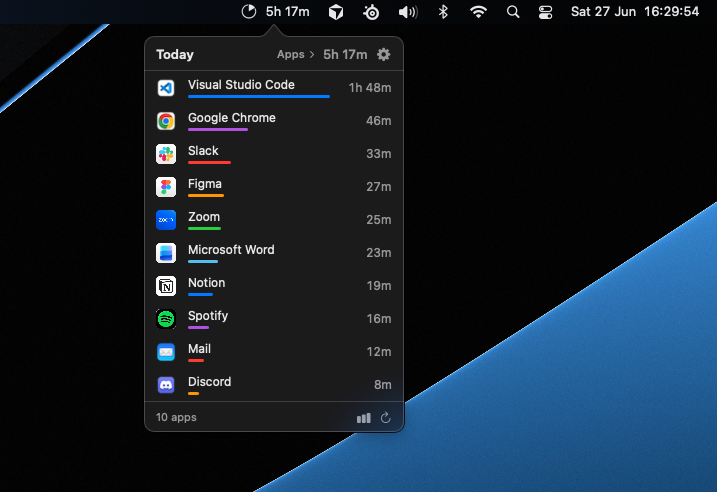
LastHour quietly tracks how long you spend in every app, right from your menu bar and entirely on your Mac. No accounts, no servers, no data collection.
Requires macOS 14.0 or later.
Everything LastHour does happens quietly in your menu bar and never leaves your Mac.
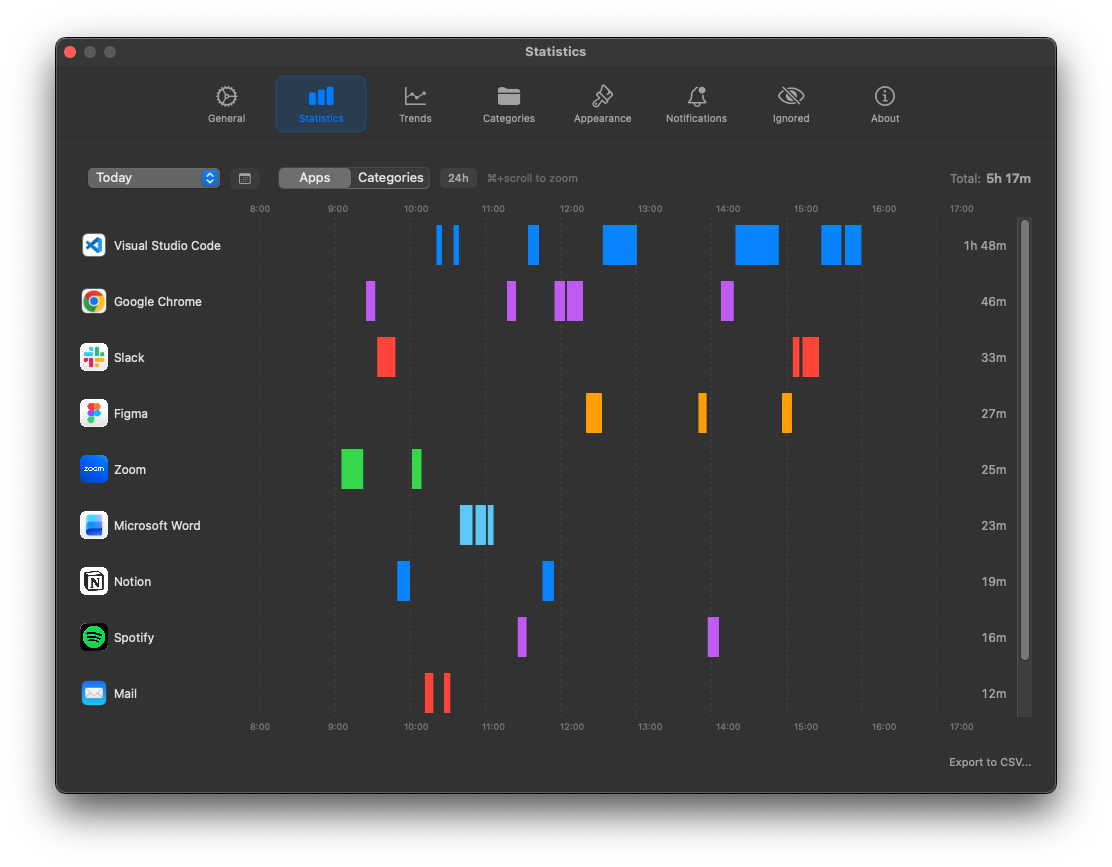
LastHour records every app you touch, session by session, so you can see exactly how the day went and where it slipped away.
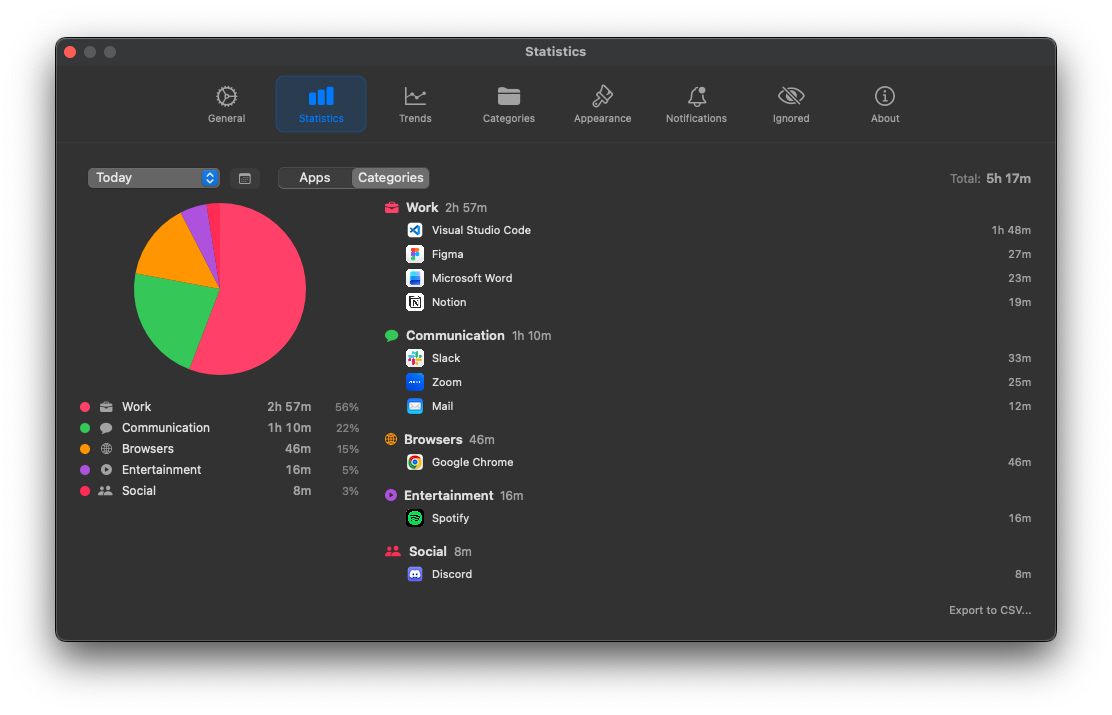
Group apps into your own categories like Work or Social, then watch the split at a glance, today or any day.
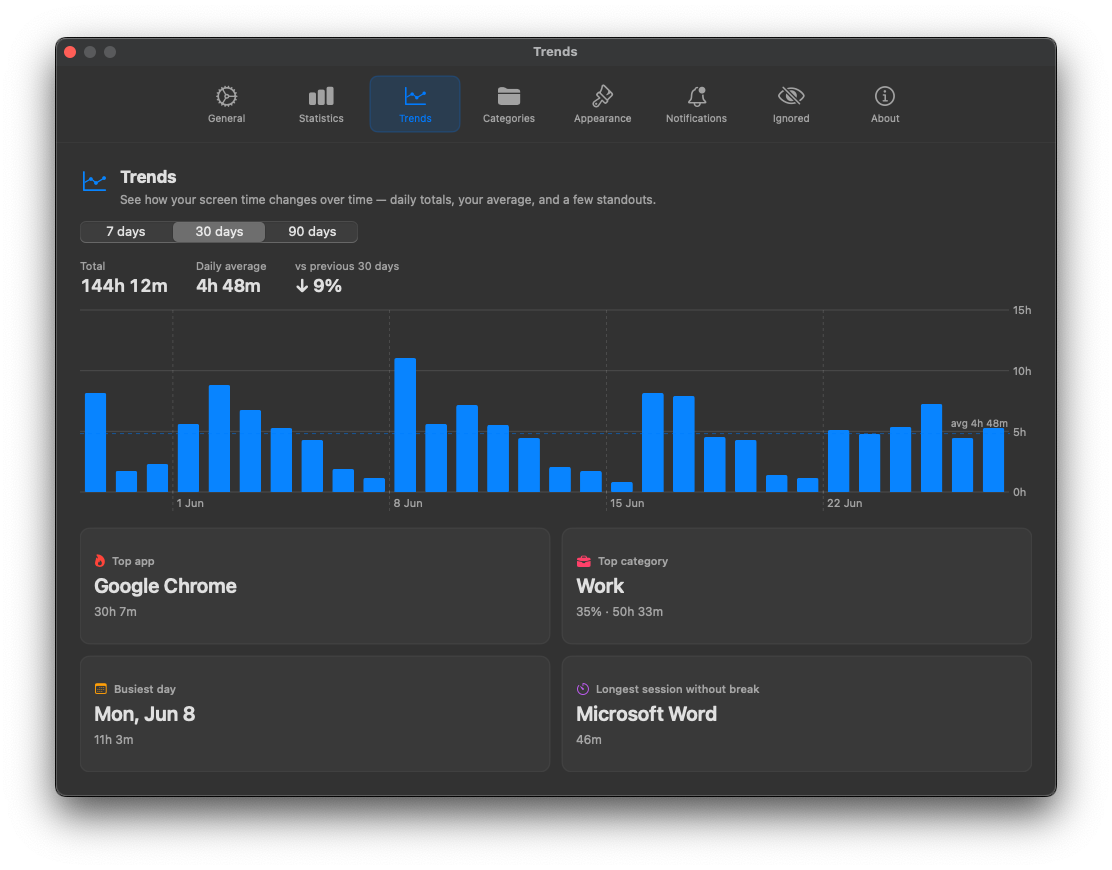
See your usage across a week, month or quarter, with daily totals, your average and how each period compares to the last.
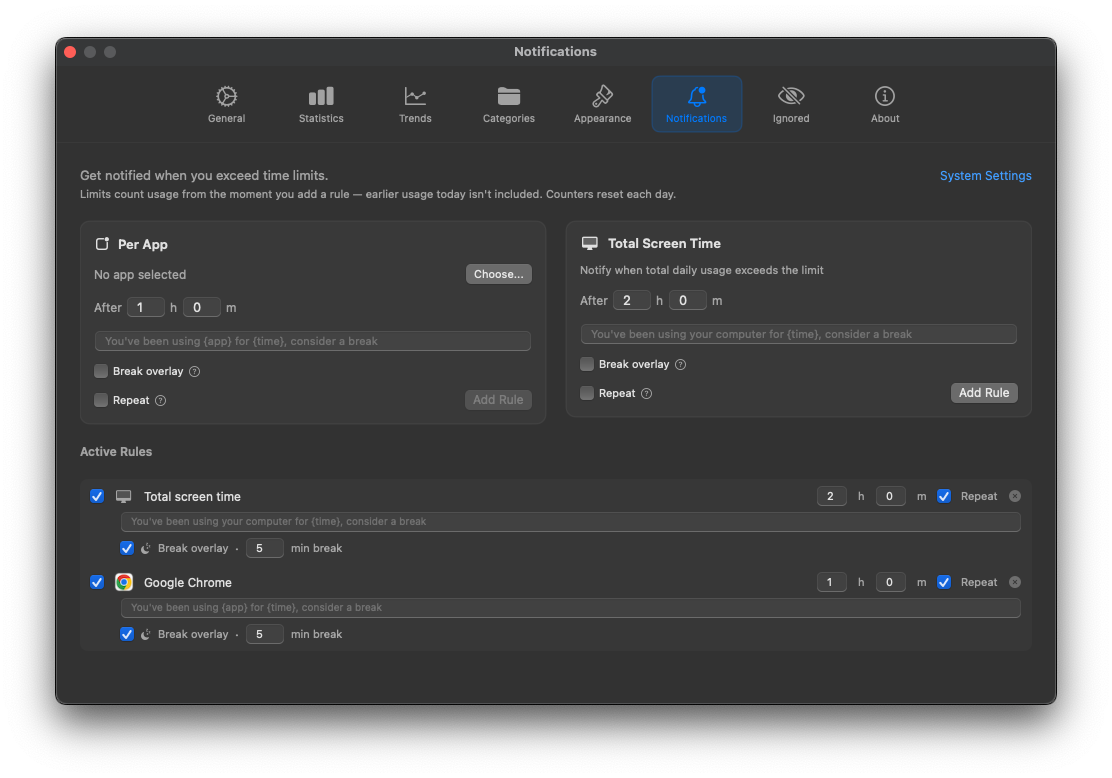
Put a daily cap on any app or your whole day and get a reminder the moment you cross it. Limits count from when you set them.
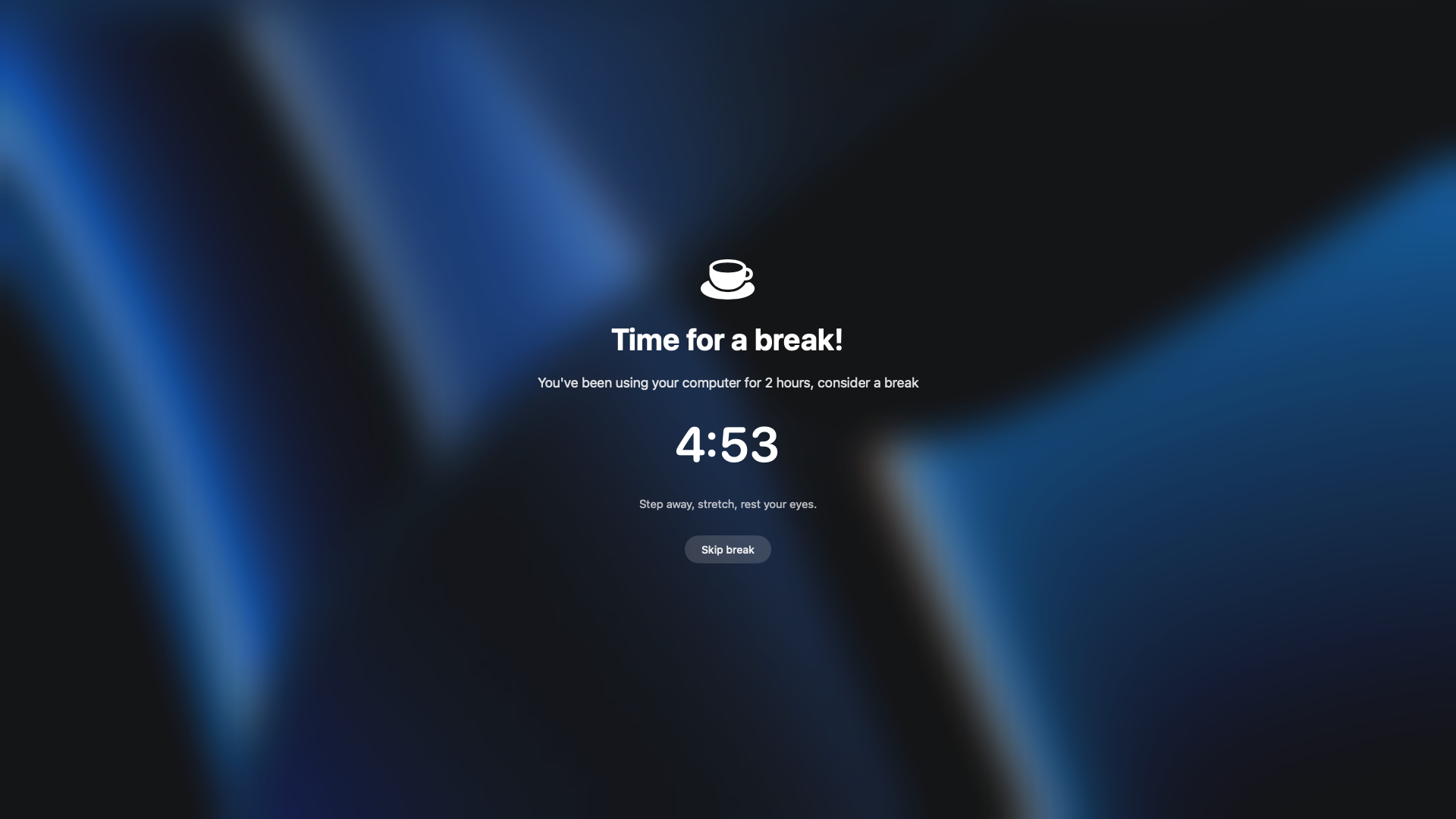
Cross a limit and LastHour fades in a gentle, full-screen reminder with a break timer. Skip it if you must. It won’t nag.
Pauses when you step away and resumes the moment you’re back. It even keeps counting while you watch a video.
Exclude any app from tracking, whether it’s a password manager or a personal chat. It’s simply never recorded.
Export your usage to CSV whenever you want. It’s your data, so take it anywhere.
LastHour has no servers and no accounts. It never reads what you type or which websites you visit, only which app is in front. Everything stays in a folder on your Mac, and you can delete it anytime. Read the privacy policy →
Try everything free for 14 days. No subscription, ever.
14-day free trial · no card required
No. LastHour only knows which app is in the foreground. For idle detection it looks at the timing of your input, never the content. It does not log keystrokes or read your screen.
No. LastHour Pro is a one-time $6.99 purchase after a 14-day free trial. Buy it once, keep it.
Locally on your Mac, in the app’s sandbox container ~/Library/Containers/app.lasthour.LastHour. It never leaves your device, and you can delete it at any time.
macOS 14.0 or later.
Free for 14 days. One-time $6.99 after that, no subscription, ever.
Requires macOS 14.0 or later.